
Overview
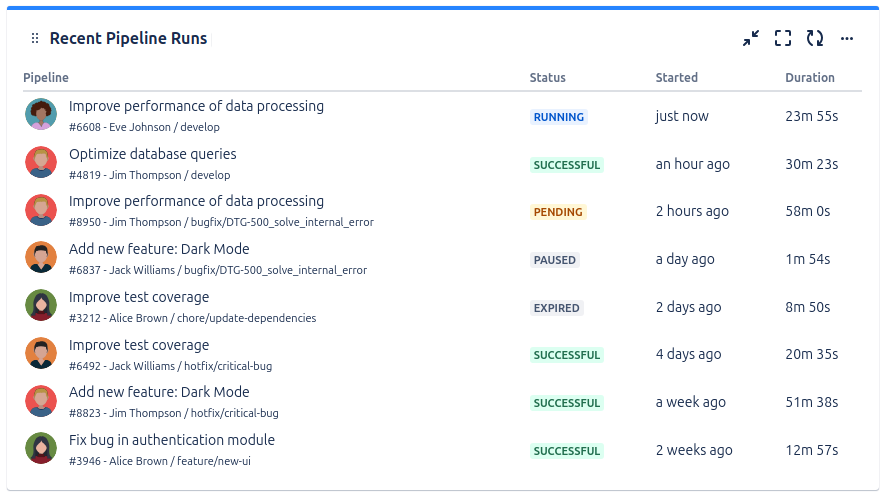
This gadget shows the most recent pipeline runs from a specified source code repository.
Configuration
|
Setting |
Description |
|---|---|
|
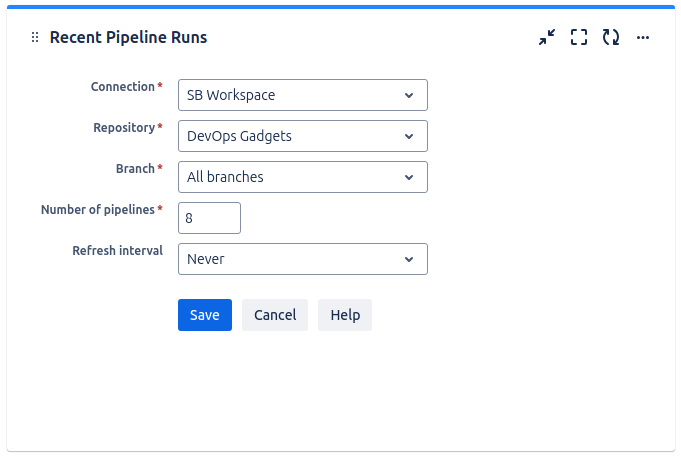
Connection |
Choose one of the configured connections, such as a Bitbucket Cloud or GitHub instance. The list of available connections is managed by the Jira administrator. |
|
Repository |
Pick the repository for which you want to display pipeline runs. |
|
Branch |
Select the branch for which you want to display pipeline runs, or keep the default selection All branches if you want to display pipeline runs from any branch of the selected repository. |
|
Workflow |
Specify the workflow for which you want to display runs in the gadget. This option is available only when a GitHub connection is configured. |
|
Number of pipelines |
Specify the maximum number of pipelines to be displayed by the gadget. |
|
Refresh interval |
Choose how often the gadget should automatically refresh. |