
You might want the user custom fields to be displayed in a specific order. For instance, the personal info related fields like Title or Manager to be displayed first followed by the contact information related fields like Phone Number or Messenger ID.
Follow the next steps to adjust the custom fields display order:
-
Log in to Jira as an administrator
-
Go to Administration > Project Team
-
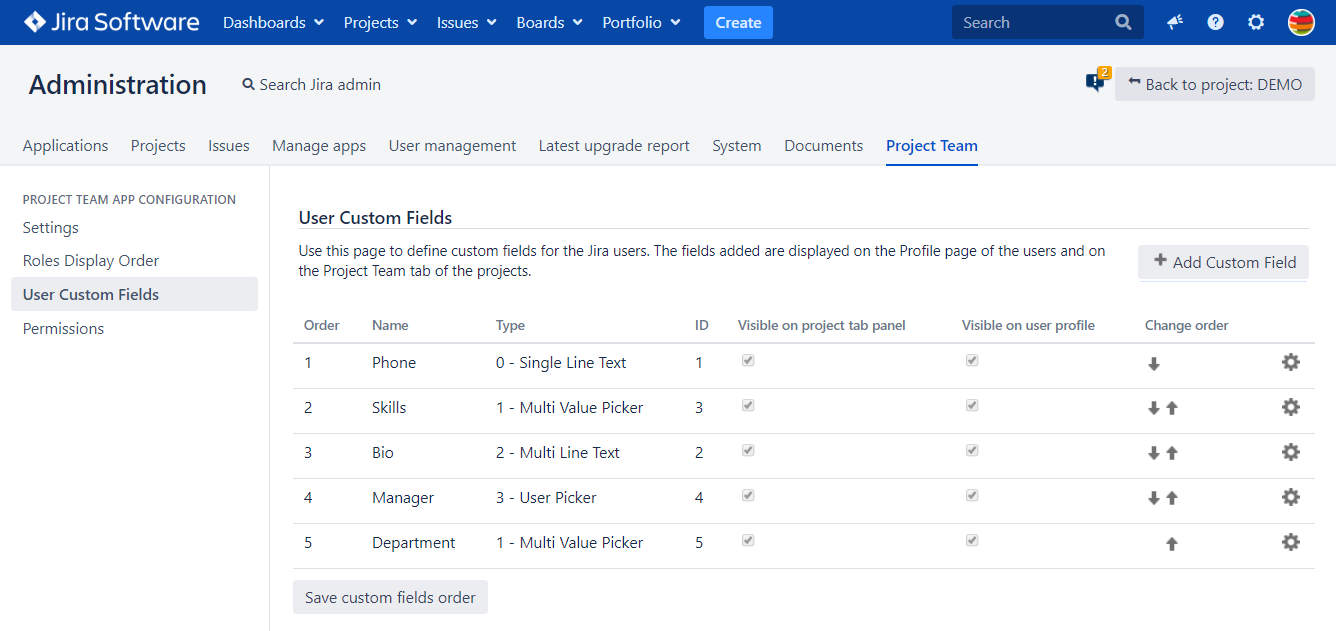
Click User Custom Fields under Project Team App Configuration
-
Use the arrows to specify the order of the fields
-
When you are done, click Save custom fields order
The order set here will be considered when the fields are displayed on the user profile page and the Project Team tab panel of each project.