
Depending on how your Jira administrator configured the display of the linked documents, they can appear in two ways in the View Issue screen:
-
In the right panel of the View Issue screen;
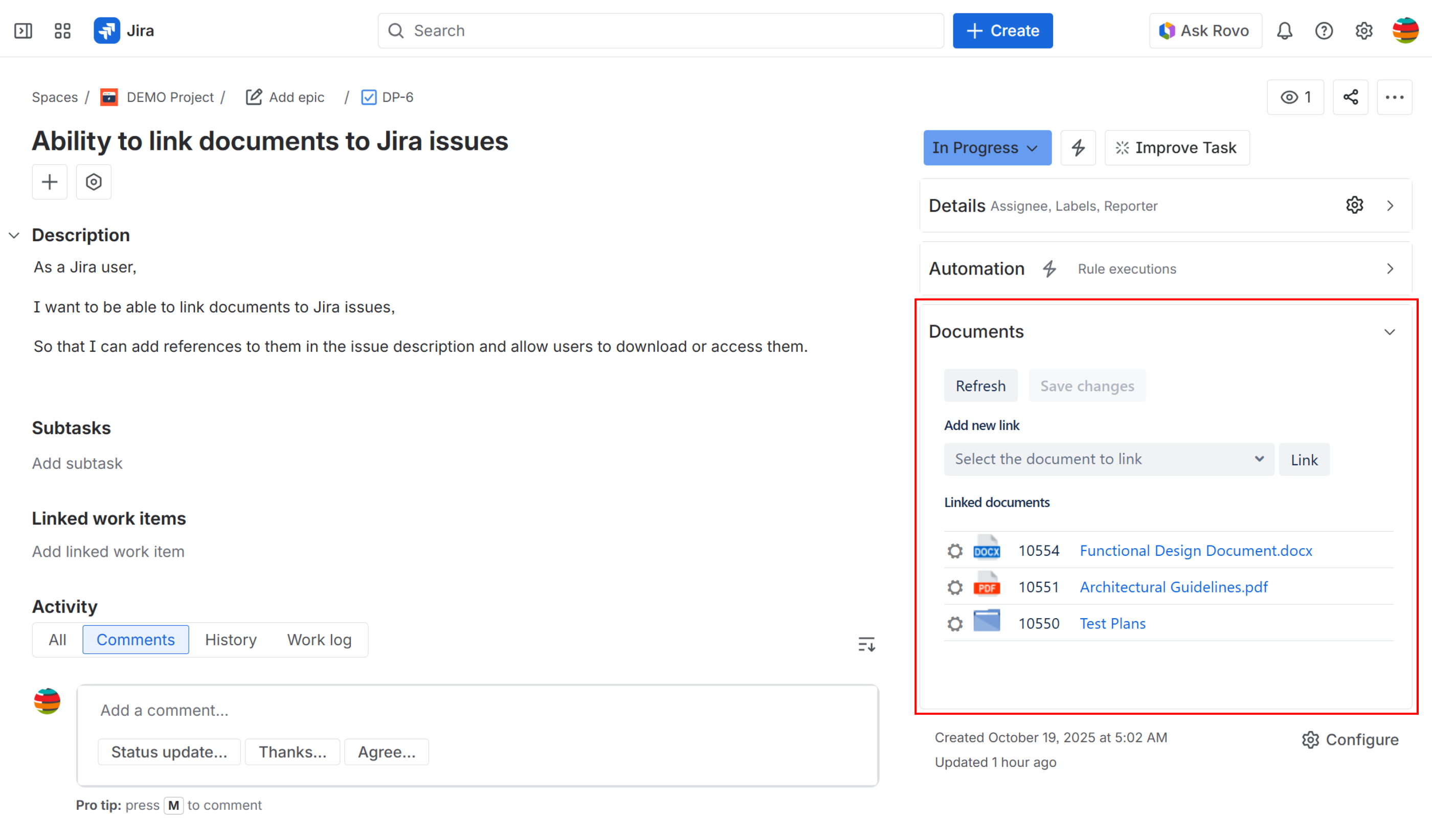
-
Or, in the mid-page panel of the View Issue screen.
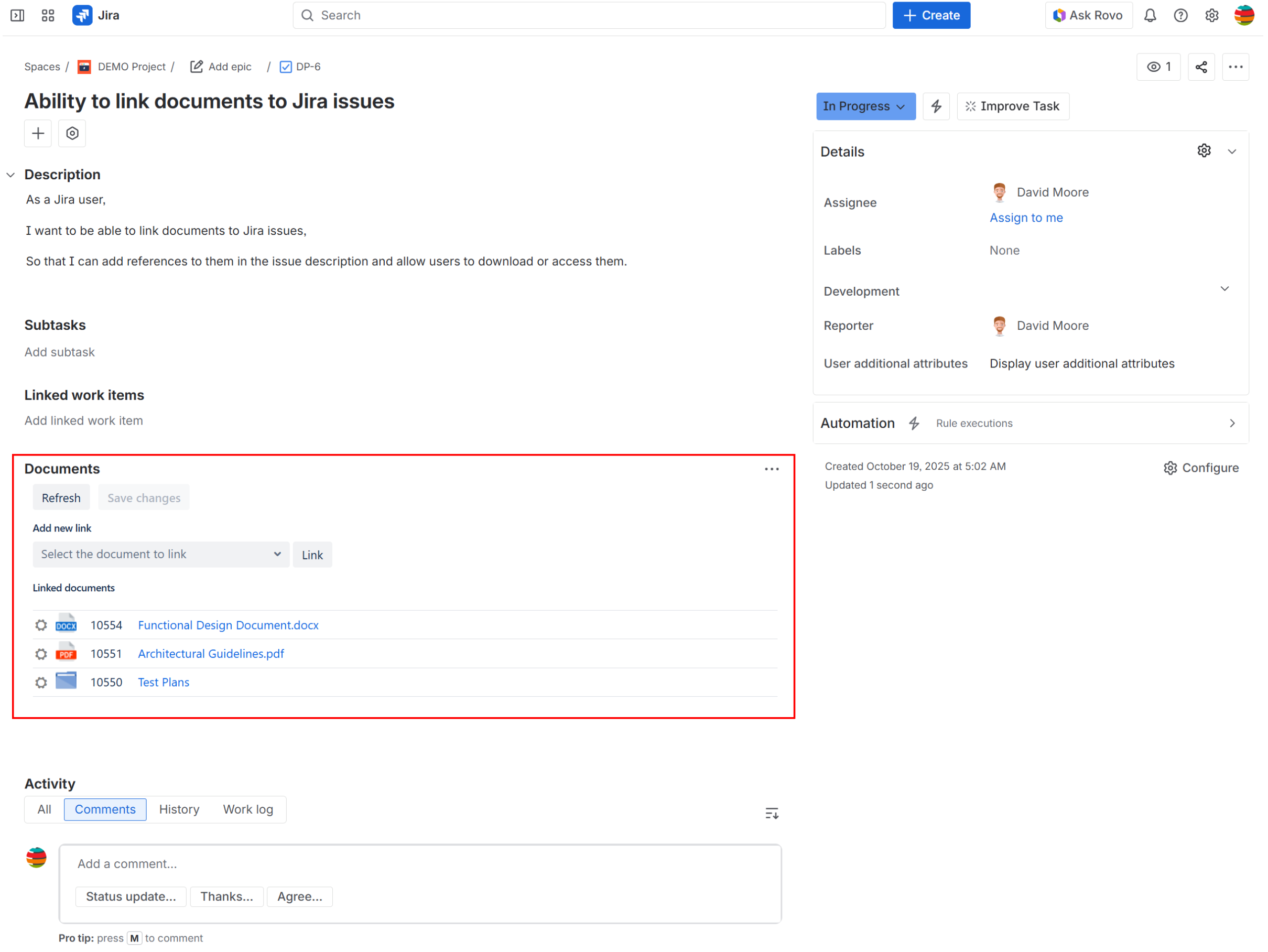
If the Jira administrator configured the linked documents to appear in the mid-page panel of the issue’s screen, you need to configure their visibility in order for them to be displayed:
-
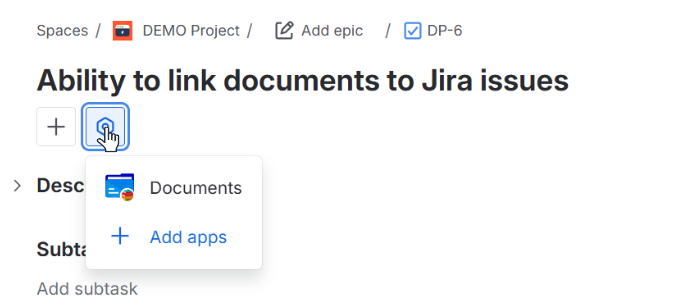
Open an issue, click the settings icon under the issue’s title and choose Documents
-
In the Linked Documents section, open the three-dot menu and select “Show for all work items”.
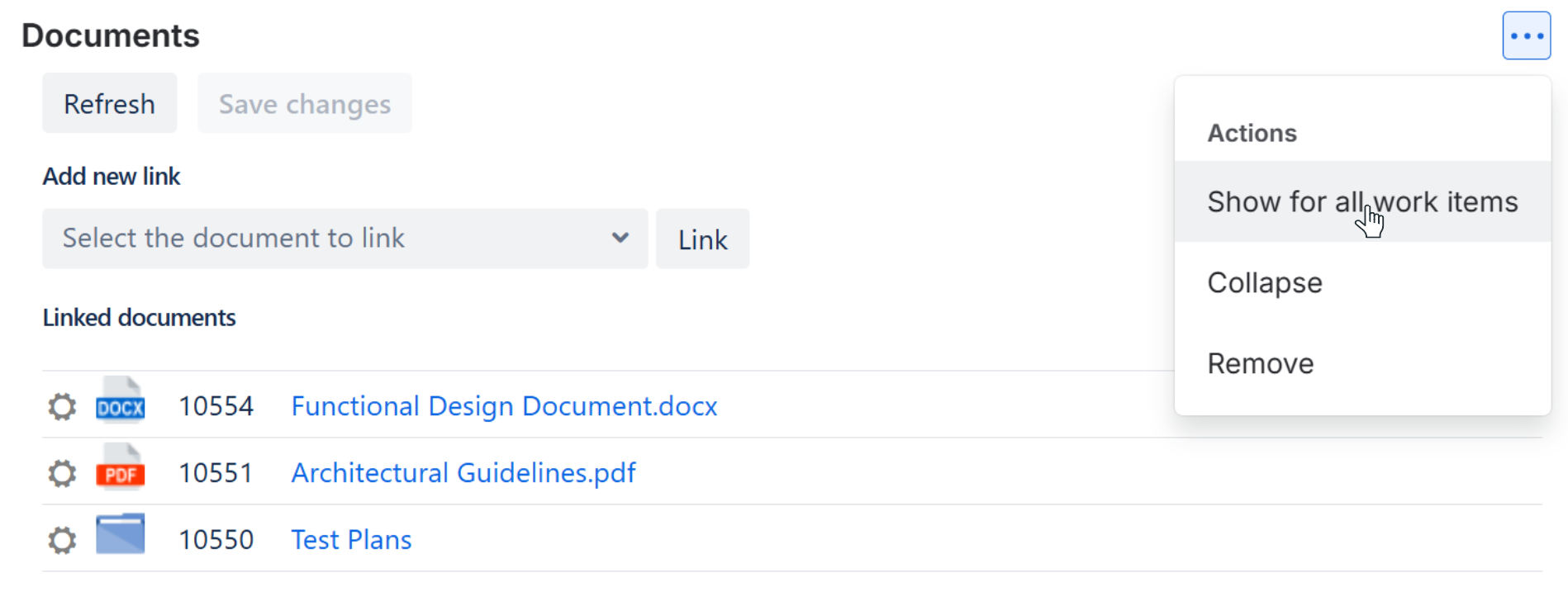
This configuration needs to be applied separately for each space to ensure linked documents are displayed in the mid-page panel across all issues.