
What is Data Residency?
Data residency is a feature that allows you to select and pin the geographical location (e.g., USA, EU, India, Australia) where your app data is stored. This ensures compliance with data privacy regulations by keeping your data within specific regions.
This feature is available with both Standard and Advanced editions.
Enabling Data Residency in Great Gadgets for Jira Cloud
Data residency is disabled by default, which means app data is stored in a global table replicated across USA and EU geographical regions. This replication ensures better availability and optimizes app performance.
Follow these steps to enable Data Residency for Great Gadgets for Jira Cloud and select the region where your app data will be stored:
-
Log in to Jira Cloud as an administrator.
-
Navigate to Settings > Marketplace apps.
-
Click Great Gadgets in the left-hand navigation pane.
-
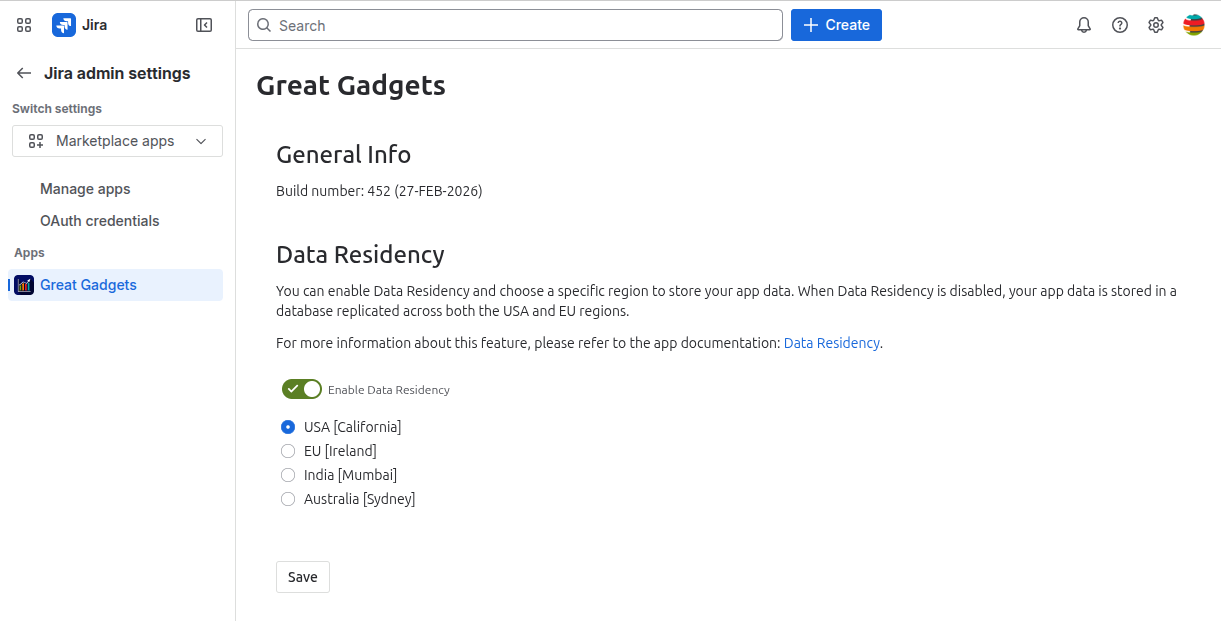
Enable Data Residency and select one of the available geographical locations to store your app data.
-
Click Save to apply the changes
Once you save the changes, new data will be stored in the selected location. Any data remaining in the previous location will be automatically deleted within 90 days.
These options are not available for AGC Jira Cloud instances, as it uses separate storage located in the USA to store application data.
Enabling Data Residency in Great Gadgets for Confluence Cloud
Data residency is disabled by default, which means app data is stored in a global table replicated across USA and EU geographical regions. This replication ensures better availability and optimizes app performance.
Follow these steps to enable Data Residency for Great Gadgets for Confluence Cloud and select the region where your app data will be stored:
-
Log in to Confluence Cloud as an administrator.
-
Navigate to Confluence administration > Apps.
-
Click Great Gadgets in the left-hand navigation pane.
-
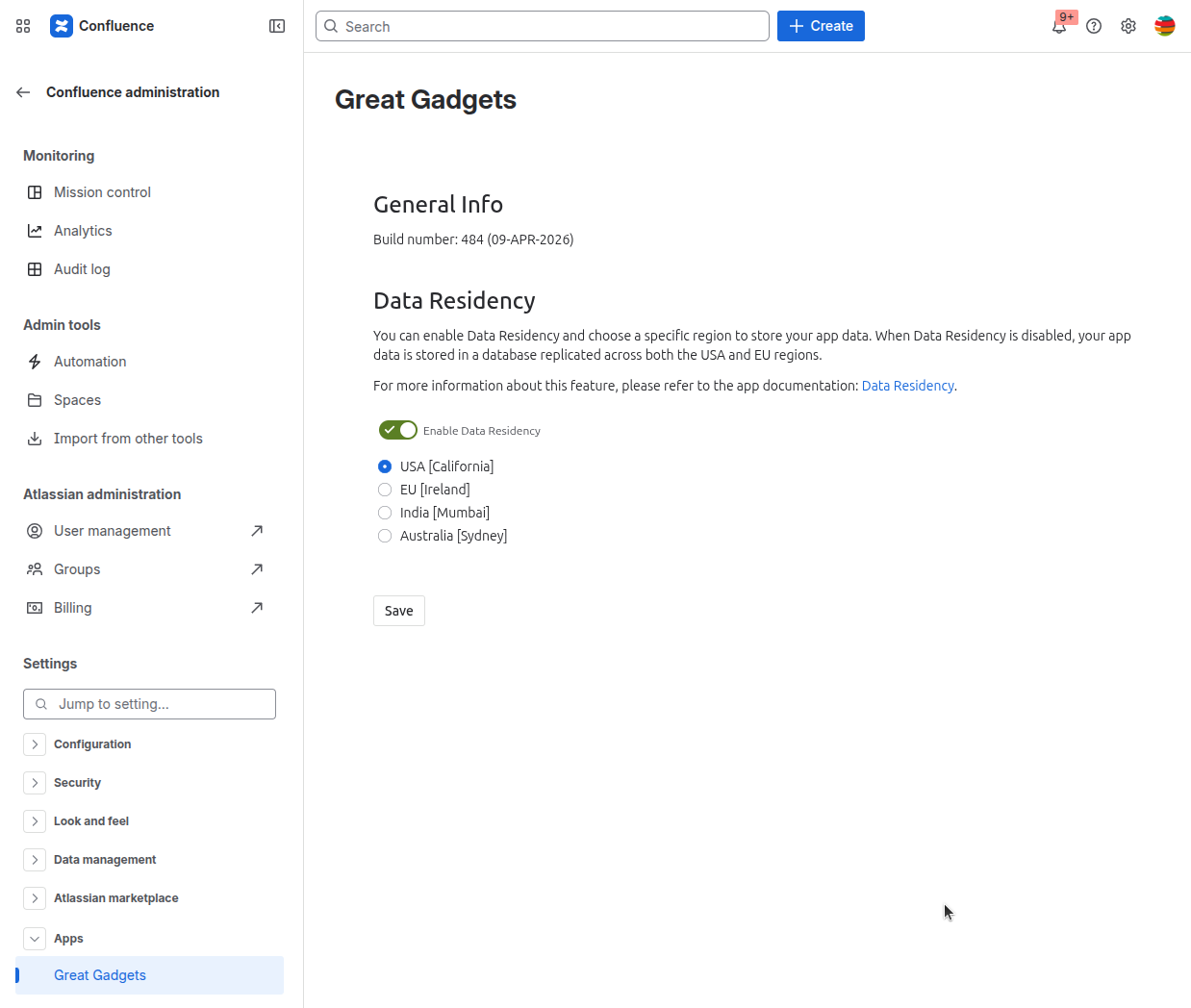
Enable Data Residency and select one of the available geographical locations to store your app data.
-
Click Save to apply the changes
Once you save the changes, new data will be stored in the selected location. Any data remaining in the previous location will be automatically deleted within 90 days.
These options are not available for AGC Confluence Cloud instances, as it uses separate storage located in the USA to store application data.
Frequently asked questions
What Data Does the Great Gadgets App Store?
For details on the data stored by the Great Gadgets app, please refer to the Privacy & Security tab on the app listing in the Atlassian Marketplace.
Can I Disable Data Residency After Enabling It?
Yes. You can disable Data Residency at any time. Once disabled, new data will be stored in the global location, and any data remaining in the previous region will be automatically deleted within 90 days.
For any questions regarding Data Residency or the Great Gadgets app, please contact StonikByte Support by submitting a ticket here or by emailing support@stonikbyte.com.