
Jira administrators can identify where an app's gadgets are used across their Jira Cloud instance using the Great Gadgets Migration Assistant, a free utility app that must be installed separately.
The tool scans existing Jira dashboards to identify gadgets belonging to the selected app and provides an overview of their usage, including the total number of gadgets found, their types, and the dashboards where they are used.
This information is particularly useful when planning an app migration, assessing the impact of uninstalling an app, or auditing gadget usage across the Jira Cloud instance.
STEP 1: Install Great Gadgets Migration Assistant
The first step is to install the Great Gadgets Migration Assistant, a free utility app for Jira Cloud.
The app is not publicly listed on the Atlassian Marketplace but can be installed using the following distribution link: Great Gadgets Migration Assistant.
The Great Gadgets Migration Assistant is built on Atlassian Forge and has earned the Runs on Atlassian badge. This means the app runs entirely on Atlassian Cloud infrastructure, with no data egress outside Atlassian Cloud. The app can be safely uninstalled at any time.
Follow these steps to install the app:
-
Access the distribution link: Great Gadgets Migration Assistant
-
Click Get app and follow the on-screen instructions to install the app in your Jira Cloud instance.
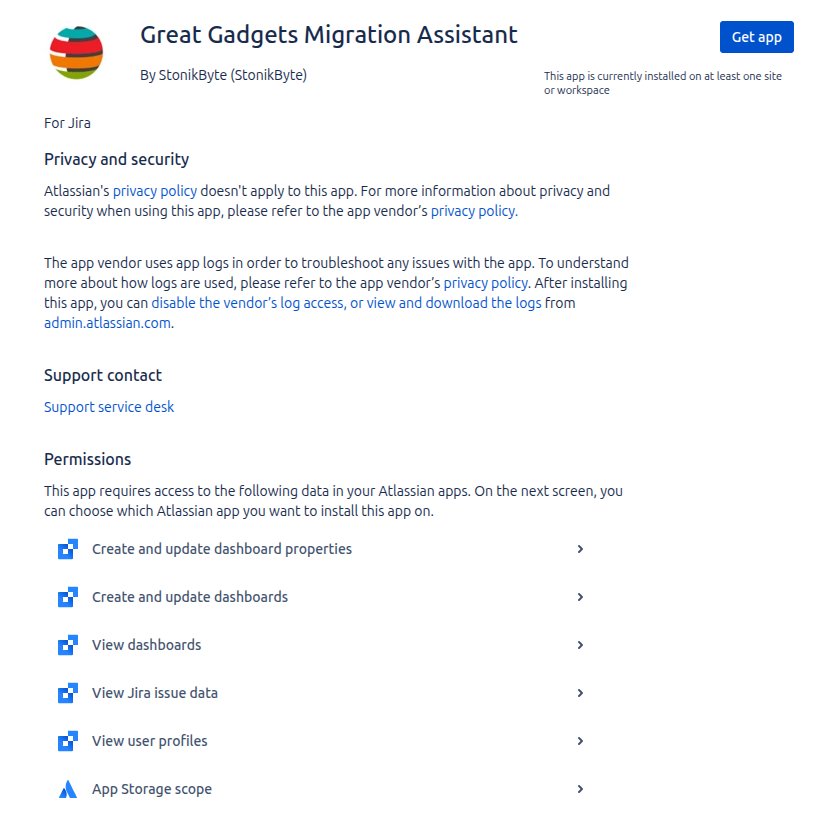
Once installed, the app can be accessed from Jira Settings → Apps → Great Gadgets Migration Assistant.
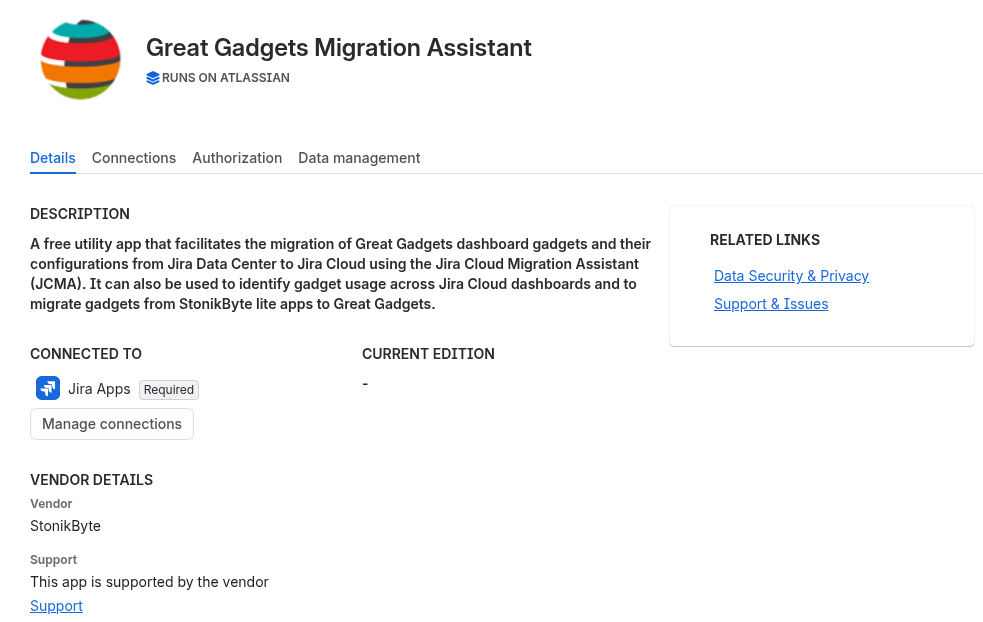
STEP 2: Scan the dashboards for app gadgets
Follow these steps to determine gadget usage across your Jira Cloud dashboards:
-
Log in to your Jira Cloud instance as an administrator.
-
Navigate to Jira settings → Apps.
-
In the left sidebar, locate Great Gadgets Migration Assistant.
-
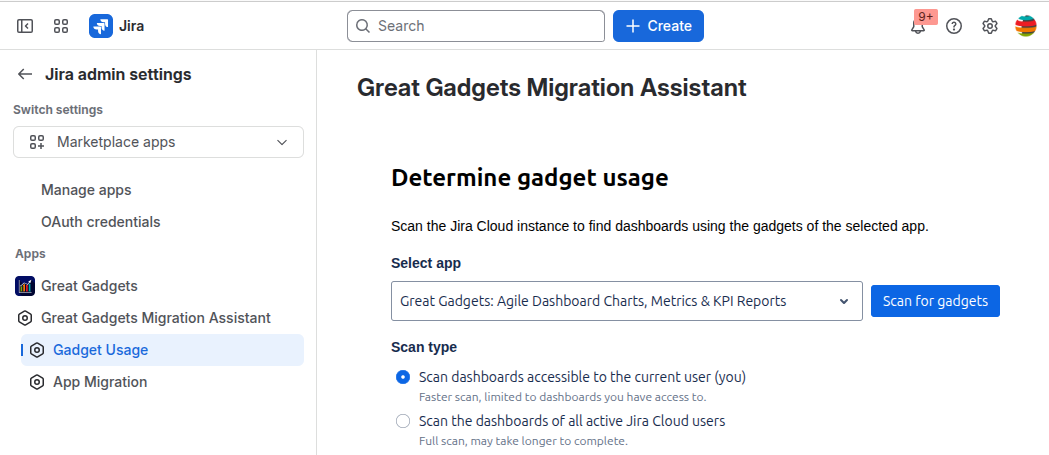
Click Gadget Usage.
-
In the Select app dropdown, choose the app whose gadget usage you want to analyze. In this example, select Great Gadgets: Agile Dashboard Charts, Metrics & KPI Reports.
-
Choose the Scan Type. The tool provides two scanning options:
-
Scan dashboards accessible to the current user (you) – Scans all dashboards accessible to the currently logged-in Jira user (you). This is a faster option, ideal for quickly checking gadget usage.
-
This scan type includes only dashboards accessible to the currently logged-in user (you). It does not identify gadgets on private dashboards belonging to other users.
-
-
Scan the dashboards of all active Jira Cloud users – Performs a more comprehensive scan, including dashboards belonging to all active Jira Cloud users. This option provides broader coverage of gadget usage across the Jira instance and helps identify gadgets that may not be accessible to the currently logged-in user.
-
This scan type may take longer to complete, especially in Jira instances with many users and dashboards. Dashboards belonging to inactive users, such as those with Invited or Suspended status, are not included in the scan.
-
Click Scan for gadgets. Allow the scanning process to complete. The scan duration may vary depending on the number of users and dashboards being scanned.
Step 3: Review the Gadget Usage Results
Once the scan is complete, the page displays the results.
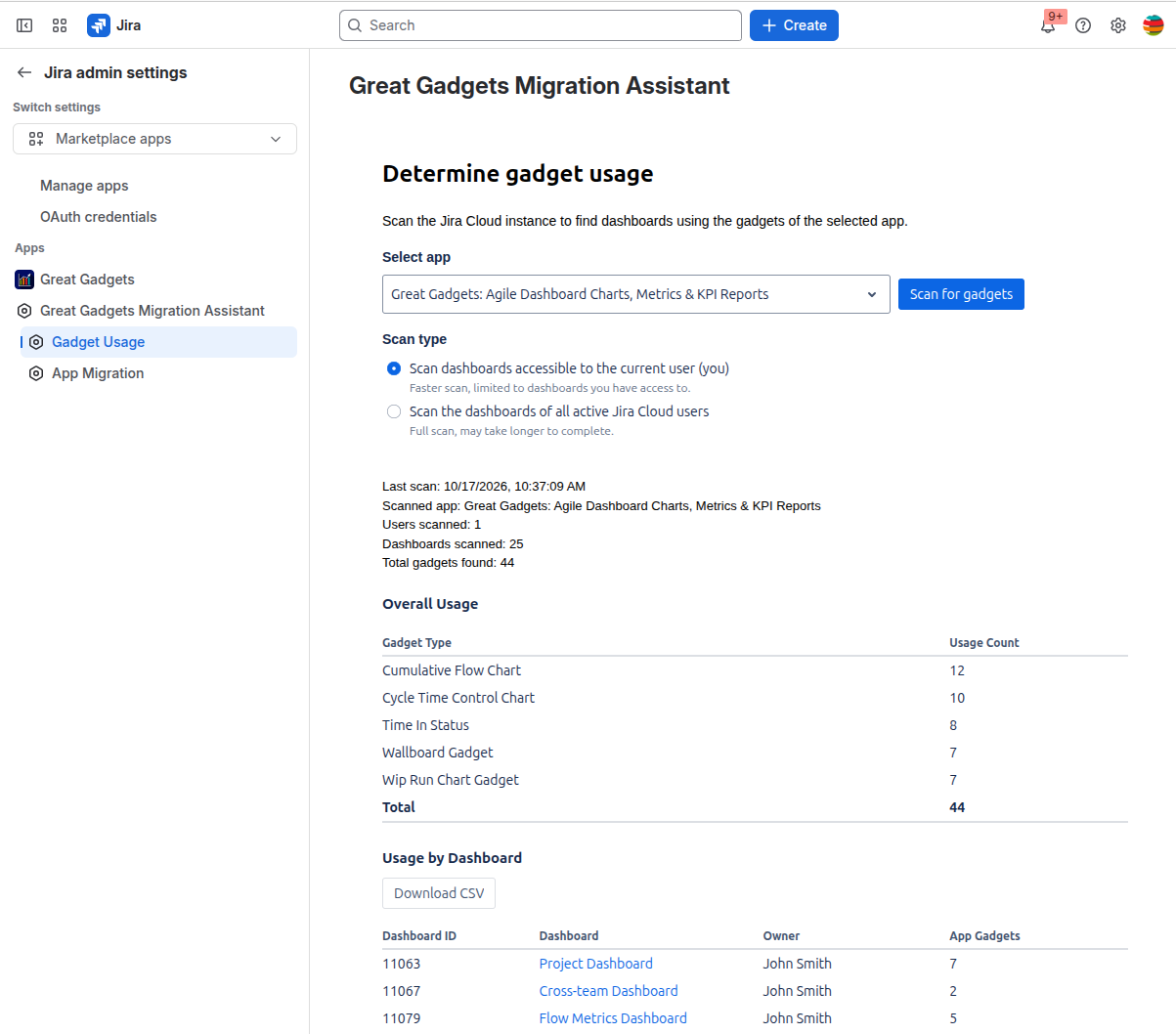
The Overall Usage section provides a breakdown of gadget usage by type. The table lists all detected gadget types and the number of instances of each type found across the scanned Jira dashboards.
The Usage by Dashboard section provides detailed information about each scanned Jira dashboard, including the number of app gadgets it contains.
You can click Download CSV to export the usage data to a CSV file for further analysis or reporting.
Frequently Asked Questions
Is it safe to install the free Great Gadgets Migration Assistant app?
Yes. The Great Gadgets Migration Assistant is built on Atlassian Forge and has earned the Runs on Atlassian badge. This means the app runs entirely on Atlassian Cloud infrastructure, with no data egress outside Atlassian Cloud. The app can also be safely uninstalled at any time when it is no longer needed.
Does the scan modify any dashboards or gadgets?
No. The Gadget Usage feature is intended for discovering and reporting gadget usage. Scanning does not modify dashboard configurations.
What is the difference between the two scan types?
The current-user scan analyzes dashboards accessible to the logged-in user, while the all-active-users scan provides broader coverage across dashboards belonging to active Jira Cloud users.
Why can't I see gadgets from every dashboard?
If you selected the current-user scan, dashboards that are not accessible to your account are outside its scope. Use the all-active-users scan for broader coverage.
Can I run the scan multiple times?
Yes. You can run a new scan at any time to get the latest gadget usage information.
Need Help?
If you have any questions or need assistance, feel free to contact StonikByte Support by submitting a ticket in our Support Portal or sending an email to support@stonikbyte.com.