
Does your team regularly finish a sprint with unfinished stories that move into the next one? This is known as sprint carryover (also called sprint rollover or spillover), and tracking it can help you understand how consistently your team delivers planned work.
With the Team Velocity Chart gadget from Great Gadgets for Jira, you can track completed and unfinished work across sprints, measure carryover, and investigate the issues behind the numbers directly on your Jira dashboard.
Context: Your team wants to see how much unfinished work carries into each sprint and investigate why the same issues keep moving between sprints.
This example configures Team Velocity to compare Carried Over work across five closed sprints, measured in Story Points.
Compare carryover across multiple sprints to identify trends and patterns
-
Add Team Velocity to your Jira dashboard. See How to use Great Gadgets | Using the gadgets in Jira
-
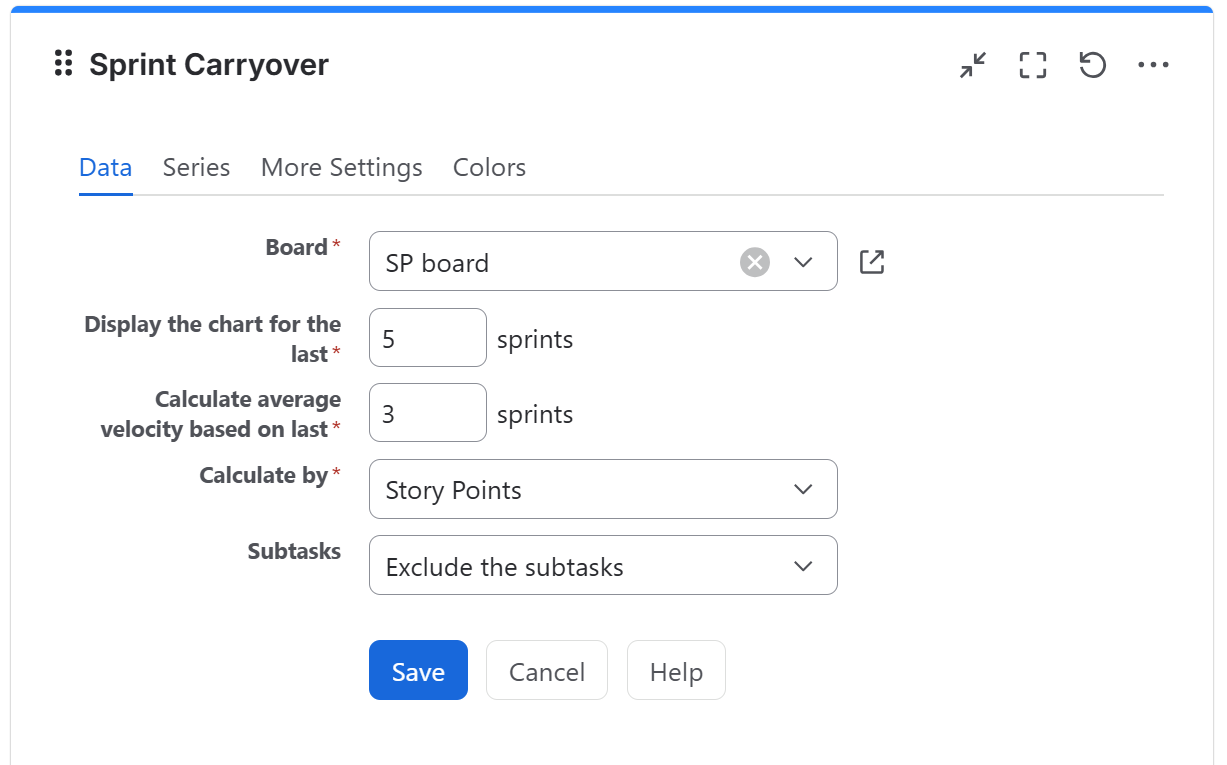
On the configuration Data tab, select your team’s Scrum board and display the last 5 sprints.
-
Set Calculate by to Story Points. For team-managed projects, select Story Point Estimate.
-
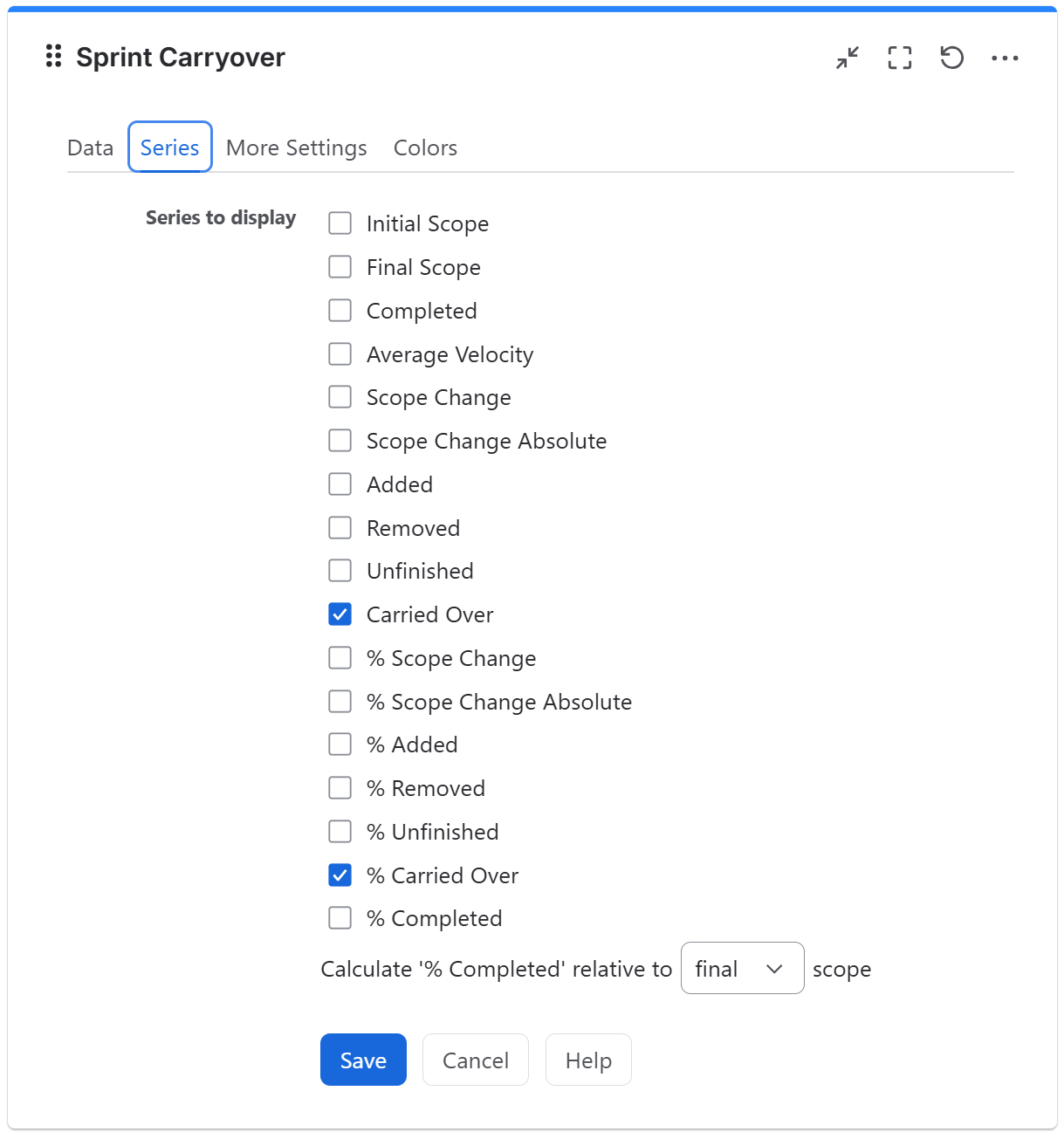
On the Series tab, select Carried Over and %Carried Over.
-
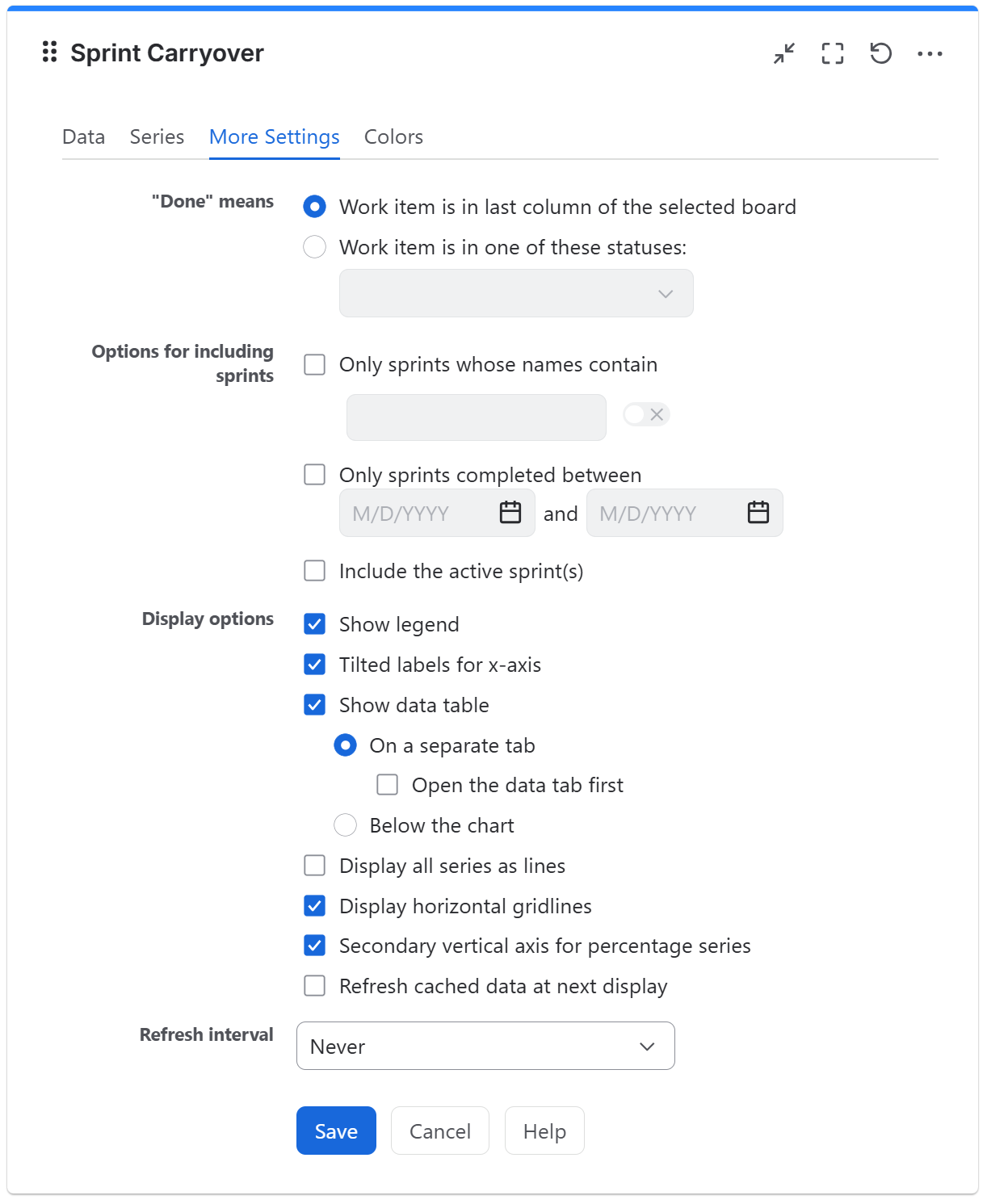
On More Settings, confirm that “Done” means matches your board’s completion rules. Leave Include also the active sprint(s) unchecked for this example.
-
Enable Show data table, and choose Show data table on a separate tab.
-
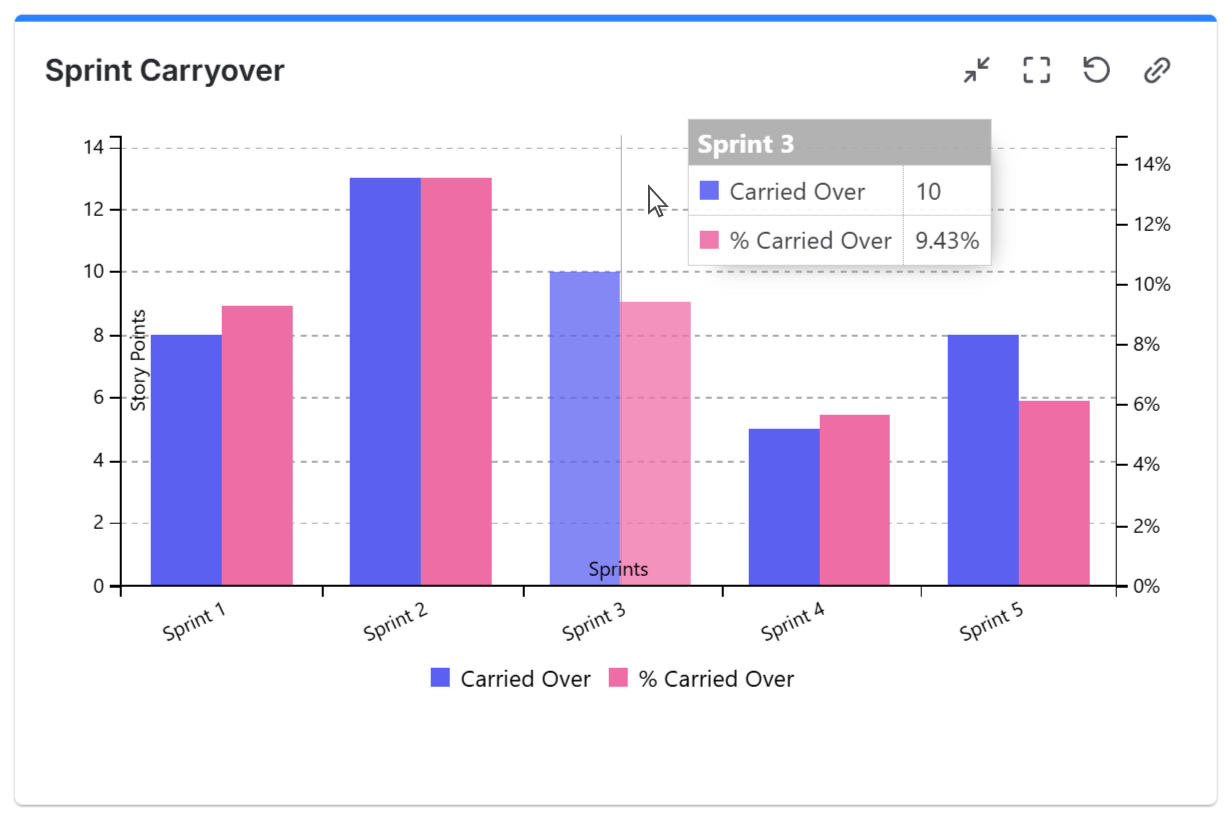
Save and review the chart.
Interpret the chart
-
Carried Over shows the Story Points in a sprint’s initial scope carried over from a previously closed sprint.
-
% Carried Over shows that amount as a percentage of the sprint’s Initial Scope: Carried Over ÷ Initial Scope × 100.
Compare both measures across sprints. A higher number of carried-over Story Points can accompany a larger sprint scope. A rising percentage means carryover is taking up a larger share of the work planned at sprint start.
Look for recurring carryover and review whether unfinished work needs attention before the team takes on additional commitments.
Inspect the Data tab to identify spilled issues
Open the gadget’s Data tab to see the sprint breakdown and contributing work items. Identify the issues behind the carryover, then open them in Jira to review their sprint history, status changes, comments, and dependencies.
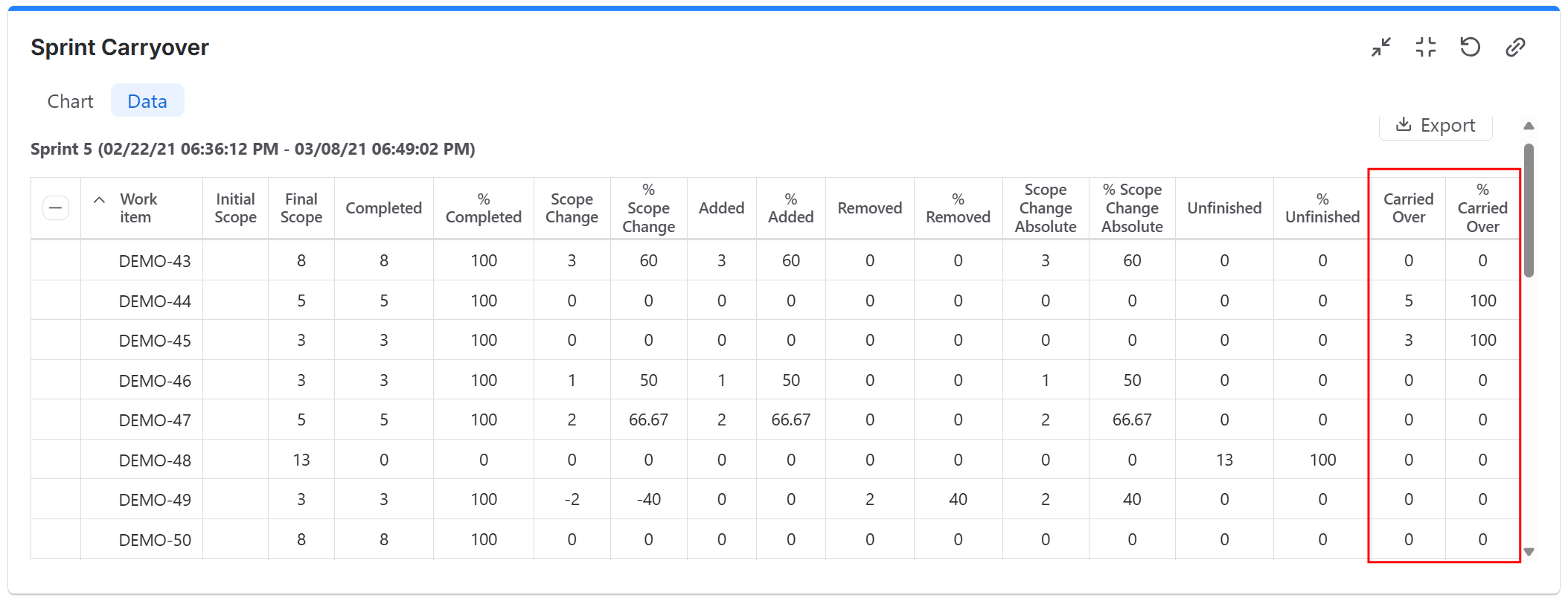
Check whether the same issues appear across several sprints and whether a blocker, unresolved dependency, or large scope is preventing completion. You can also export the report to CSV for further analysis.
Practical example
For example, if a sprint starts with 40 Story Points, including 10 Story Points carried over from a previously closed sprint, the chart shows 10 Story Points for Carried Over and 25% for % Carried Over.
Open the Data tab to identify those issues. Review why they remained unfinished and agree on a next step, such as resolving a dependency, arranging a review, or splitting a large issue.
And that’s it! You can now track sprint carryover in Jira, compare its share of sprint scope, and investigate the issues behind recurring spillover.
For all configuration options, see the Team Velocity gadget documentation.