
Overview
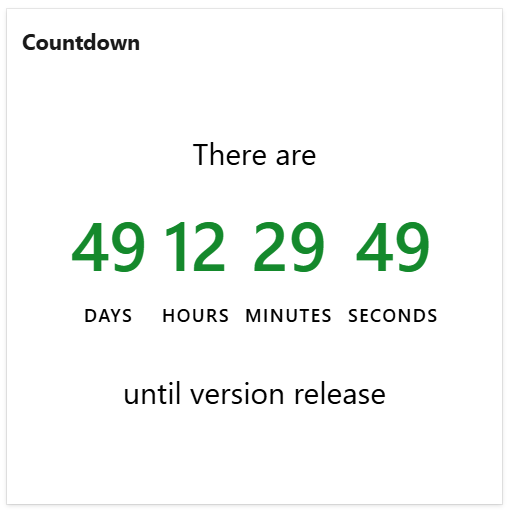
The Countdown widget displays the remaining time until an upcoming event.
You can use it to keep your team aware of important dates, such as a project launch, a milestone, a company celebration, or any other event that matters to your team. By showing the time remaining at a glance, this widget helps teams stay focused, aligned, and motivated as key dates approach.
Configuration
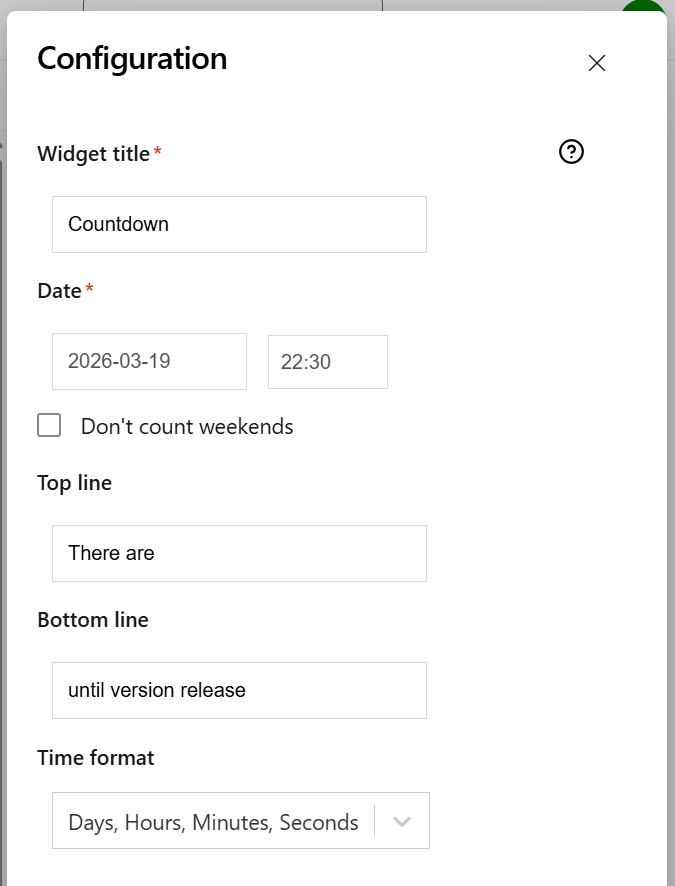
On this tab you can configure the required settings of the widget.
|
Setting |
Description |
|---|---|
|
Widget title |
Choose what to display in the title bar of the widget. |
|
Date |
Specify the date and time for the upcoming event. |
|
Don't count weekends |
Check this option if you want the widget not to count the weekends (Saturdays and Sundays). This option could be used to determine how many effective workdays remain until a specific milestone. |
|
Top line |
The text to be displayed on the line above the remaining time. |
|
Bottom line |
The text to be displayed on the line below the remaining time. |
|
Time format |
Choose how the remaining time to be displayed by the widget. |