
Overview
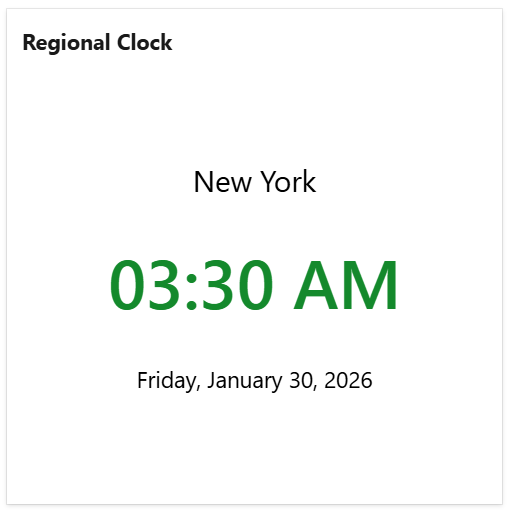
The Regional Clock widget displays the current time for a specific location in a digital clock format.
It is especially useful for companies with multiple offices or geographically distributed teams. By showing the time in different locations, this widget helps team members coordinate more effectively with remote colleagues and schedule work or meetings across time zones with ease.
Configuration
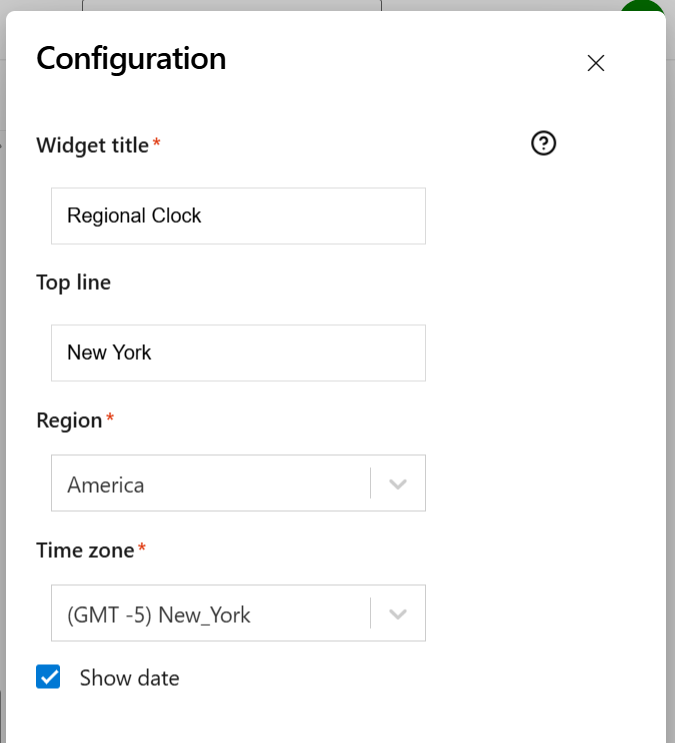
On this tab you can configure the required settings of the widget.
|
Setting |
Description |
|---|---|
|
Widget title |
Choose what to display in the title bar of the widget. |
|
Top line |
Specify the location to be displayed on the top line. |
|
Region |
Select the region for which the time is to be displayed. |
|
Time zone |
Select the city or the time zone for which the time is to be displayed. |
|
Show date |
Check this if you want the current date to also be displayed. |